

To add a daily horoscope, have your server call one endpoint: GET /v1/rashi/{sign}/today. Put the reader's sign in the address and send your readers' city. Then show the headline and text from the moon field, with the applies_to line under it. Each call returns one sign for one day and counts as 1 call. A page for one sign makes 1 call per view. A page with all 12 signs makes 12.
These are Vedic horoscopes. They are written for the Moon sign, the sign the Moon was in at birth. A Western horoscope is written for the Sun sign instead. For the same person, the two are often different signs.
Below you will find working code in JavaScript, Python and PHP, and the calls each plan allows. You will also see why the city you send can change the day your readers get.
Why a Vedic horoscope uses the Moon sign
Vedic astrology reads each day from the birth Moon. Transits (where the planets are on a given day) are counted in houses (the 12 parts of a chart) from the Moon's sign. They are not counted from the rising sign, the sign coming up in the east at birth. Our rulebook states this as rule TR-01. Each planet then helps from some houses and works against you from the others (TR-02).
This means a reader's Western sign will not find their Vedic horoscope. Take John Doe, born August 15, 1990, at 10:30 AM in New York. A Western site lists him under Leo. In his Vedic chart, the Sun is in Cancer and the Moon is in Taurus. His Vedic daily horoscope is the Taurus one. Our guide to Vedic vs Western signs explains the gap.
A birthday alone does not always give the Moon sign. The Moon moves to a new sign about every two and a quarter days. We checked every day of 2026 in New York time. The Moon changes sign on 160 of the 365 days. On those days, the birth time decides the Moon sign. Ask for the date, time and place of birth, and get the Moon sign from POST /v1/planets. Readers can also look it up with the free kundli tool, which draws a Vedic birth chart.
What one call returns
One call returns the whole day for one sign. For Taurus in New York on October 21, 2026, it held 9 written passages, about 1,200 words. These are the fields a horoscope page uses.
Field | What it holds |
|---|---|
| The lead reading: which house the Moon is in, counted from the sign, in plain words. |
| One passage for each slower planet: the Sun, Mars, Mercury, Jupiter, Venus, Saturn, Rahu and Ketu. |
| How many of the day's transits help, work against you or are blocked. |
| A daily rating from the Moon's house. Its |
| Whether sade sati is running for this sign, with dates. It is Saturn's slow pass over the Moon sign, about 7.5 years long. |
| The Hindu calendar for the day in your city: sunrise, tithi (the lunar day), nakshatra (the Moon's star group) and more. |
| Who the reading is for, and what it cannot say about one person. |
"Blocked" means vedha: another planet stands in the house that blocks a good transit (TR-03). The API applies it for you. A real response for Aries is shown under this post. The API reference lists every field.
The code: all 12 signs in JavaScript, Python and PHP
Each example gets today's reading for all 12 Moon signs, read for New York. It prints one line per sign. Run it on your server. The key comes from the ASTROLOGY_API_KEY environment variable, so it never reaches a browser. The quickstart shows how to set it.
JavaScript (Node 18 or later)
// Today's Vedic horoscope for each of the 12 Moon signs, read for New York.
// Run it on your server (Node 18 or later), so your API key stays private.
const BASE_URL = "https://apiforastrology.com/api/astrology/v1";

const MOON_SIGNS = [
  "Aries", "Taurus", "Gemini", "Cancer", "Leo", "Virgo",
  "Libra", "Scorpio", "Sagittarius", "Capricorn", "Aquarius", "Pisces",
];

// Your readers' city. The API reads the day at sunrise there.
const CITY = {
  latitude: "40.7128",
  longitude: "-74.006",
  timezone: "America/New_York",
};

// One call: today's reading for one Moon sign.
async function getReadingForSign(sign) {
  const query = new URLSearchParams(CITY);
  const res = await fetch(`${BASE_URL}/rashi/${sign}/today?${query}`, {
    headers: {
      Authorization: `Bearer ${process.env.ASTROLOGY_API_KEY}`,
    },
  });
  if (!res.ok) {
    const { error } = await res.json();
    throw new Error(`${res.status} ${error.code}: ${error.message}`);
  }
  return res.json();
}

// 12 calls: one for each sign.
for (const sign of MOON_SIGNS) {
  const data = await getReadingForSign(sign);
  console.log(`${data.natal_moon_sign}, ${data.date}: ${data.moon.title}`);
}
Python (requests)
# Today's Vedic horoscope for each of the 12 Moon signs, read for New York.
# Run it on your server, so your API key stays private.
import os
import requests

BASE_URL = "https://apiforastrology.com/api/astrology/v1"

MOON_SIGNS = [
    "Aries", "Taurus", "Gemini", "Cancer", "Leo", "Virgo",
    "Libra", "Scorpio", "Sagittarius", "Capricorn", "Aquarius", "Pisces",
]

# Your readers' city. The API reads the day at sunrise there.
CITY = {
    "latitude": "40.7128",
    "longitude": "-74.006",
    "timezone": "America/New_York",
}


# One call: today's reading for one Moon sign.
def get_reading_for_sign(sign):
    res = requests.get(
        f"{BASE_URL}/rashi/{sign}/today",
        params=CITY,
        headers={"Authorization": f"Bearer {os.environ['ASTROLOGY_API_KEY']}"},
        timeout=30,
    )
    res.raise_for_status()
    return res.json()


# 12 calls: one for each sign.
for sign in MOON_SIGNS:
    data = get_reading_for_sign(sign)
    print(f"{data['natal_moon_sign']}, {data['date']}: {data['moon']['title']}")
PHP (curl)
<?php
// Today's Vedic horoscope for each of the 12 Moon signs, read for New York.
// Run it on your server, so your API key stays private.
const BASE_URL = 'https://apiforastrology.com/api/astrology/v1';

const MOON_SIGNS = [
  'Aries', 'Taurus', 'Gemini', 'Cancer', 'Leo', 'Virgo',
  'Libra', 'Scorpio', 'Sagittarius', 'Capricorn', 'Aquarius', 'Pisces',
];

// Your readers' city. The API reads the day at sunrise there.
const CITY = [
  'latitude' => '40.7128',
  'longitude' => '-74.006',
  'timezone' => 'America/New_York',
];

// One call: today's reading for one Moon sign.
function getReadingForSign(string $sign): array
{
  $ch = curl_init(BASE_URL . '/rashi/' . $sign . '/today?' . http_build_query(CITY));
  curl_setopt_array($ch, [
    CURLOPT_HTTPHEADER => [
      'Authorization: Bearer ' . getenv('ASTROLOGY_API_KEY'),
    ],
    CURLOPT_RETURNTRANSFER => true,
  ]);
  $data = json_decode(curl_exec($ch), true);
  $status = curl_getinfo($ch, CURLINFO_HTTP_CODE);
  if ($status !== 200) {
    throw new RuntimeException("$status {$data['error']['code']}: {$data['error']['message']}");
  }
  return $data;
}

// 12 calls: one for each sign.
foreach (MOON_SIGNS as $sign) {
  $data = getReadingForSign($sign);
  echo "{$data['natal_moon_sign']}, {$data['date']}: {$data['moon']['title']}\n";
}
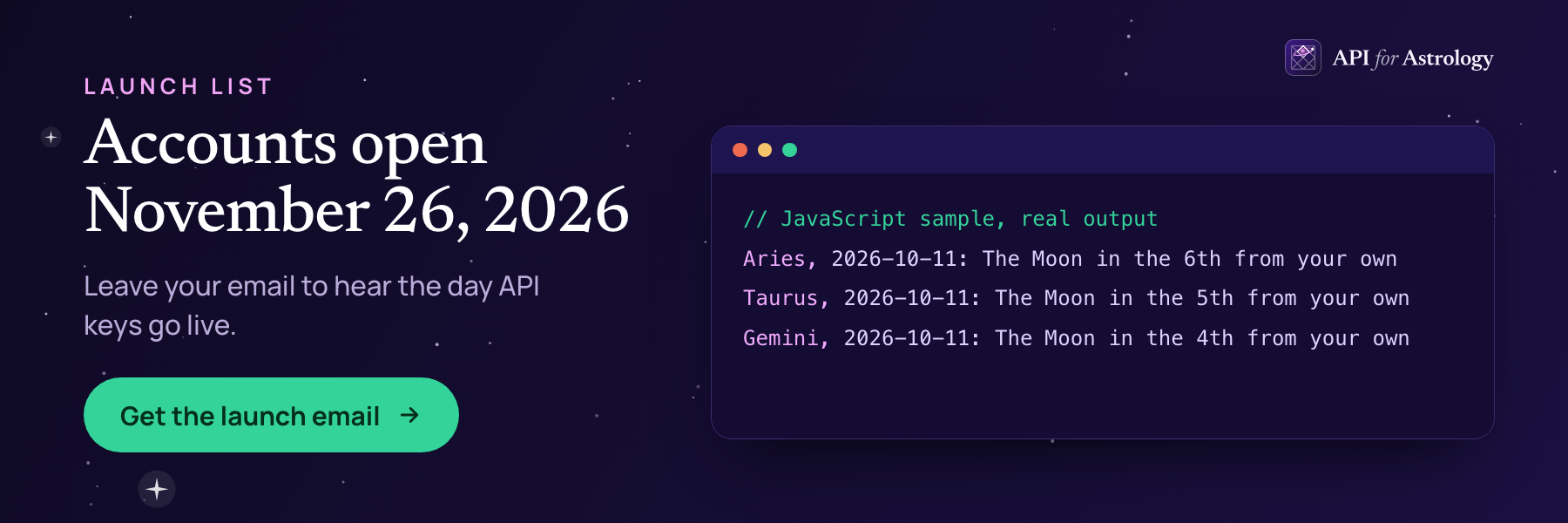
We ran the JavaScript and Python versions on October 11, 2026. Each printed 12 lines like this one:
Taurus, 2026-10-11: The Moon in the 5th from your ownOn a real page, skip the loop. Call the function once, for the sign the page shows. That keeps each page view at 1 call.

Send your readers' city, or the day is read for India
Leave out latitude, longitude and timezone, and the API reads the day for Ujjain, India, in India time. That changes two things.
The reading can change. The API reads the day at sunrise in the city you send. On October 21, 2026, sunrise in New York came 10.3 hours after sunrise in Ujjain. The Moon can change sign in that gap. We compared Taurus for New York with the India default on every day of October 2026. The lead reading was different on 3 of the 31 days: October 9, 16 and 21. On October 21, New York gets "The Moon in the 10th from your own." The India default gives "the 9th." The tithi in the panchang differed on 13 of the 31 days.
"Today" can be tomorrow. With no date sent, the API returns today in the time zone you send. While daylight saving time runs, India is 9.5 hours ahead of New York. From 2:30 PM in New York, India is already on the next date. A New York reader at 3:00 PM would see tomorrow's horoscope.
Send the city your readers live in. If they live in many cities, send each reader's own city. Each city is its own call.
Plan math: what a horoscope page costs
Every successful call to this endpoint counts as 1 call. It uses no reading credits, and failed calls are not counted. The limits below are the ones on our pricing page.
Plan | Calls a month | Calls a minute, each key | Views of a one-sign page | Views of an all-signs page |
|---|---|---|---|---|
Free | 2,000 | 90 | 2,000 | 166 |
Starter | 50,000 | 250 | 50,000 | 4,166 |
Growth | 250,000 | 500 | 250,000 | 20,833 |
Scale | 2,000,000 | 1,000 | 2,000,000 | 166,666 |
The layout that gets the most from a plan is a hub page with the 12 signs as plain links. The hub makes no call. Each sign page makes 1 call per view. A page with all 12 signs costs 12 times as much per view.
A morning email or push message works differently, because it goes out once a day. Call the API when the send runs, once for each sign. That is 12 calls a day, or 372 in a 31-day month. On the Free plan, that is 18.6% of the month's calls.
Watch the per-minute limit as well. It applies to each live key. Say a story sends 200 readers a minute to a sign page on the Free plan. Some of those calls get a 429 answer, and the Retry-After header says how many seconds to wait. When a call fails, show the page without the reading block.
Build a page readers trust
Lead with the Moon. Show moon.title as the heading and moon.text under it. The Moon changes house every two or three days, so it is what makes today's reading differ from yesterday's. Put the slower planets in a section below.
Say who it is for. Print the applies_to line near the top. It says the reading is for everyone with the Moon in that sign, not for one person. Our Terms also ask you to tell users that readings are for information and entertainment.
Show the counts in plain words. For Taurus in New York on October 21, summary gave 5 helpful transits, 3 difficult ones and 1 blocked. A line like "5 helpful, 3 difficult, 1 blocked" is easy to read on a phone.
Add the link your plan needs. On Free, every page or screen that shows API output needs a visible "Powered by API for Astrology" link. On Starter, a public page with the daily sign horoscopes must link to us. Growth and Scale need no link. The publishers page covers the rest of a daily astrology section.
Offer Hindi. Add lang=hi to get the text and the sign names in Hindi. For Taurus on October 21, the lead heading came back as "अपने चंद्र से दसवें भाव में चंद्रमा". Add detail=expanded for longer text, about 1.8 times as long.
Accept any sign name. The {sign} part takes the English name, the Sanskrit name or a number from 1 to 12. "Taurus", "Vrishabha" and "2" all returned the Taurus reading. A name that is not a sign, such as "Ophiuchus", gets a 422 answer with the code invalid_input.
Signed-in readers can get their own day
A sign horoscope is the same for everyone with that Moon sign. For readers who share their birth details, POST /v1/reading/daily reads the same day against their own chart. For deeper readings from the same chart, see readings that match the chart. It adds their dasha (the planet period they are in) and tara bala (a daily rating from their birth star). The horoscope API page covers both kinds.

What to ship first
The smallest version that works has four parts. A hub page lists the 12 signs. Each sign page has its server call GET /v1/rashi/{sign}/today with your readers' city. The page shows the applies_to line and the link your plan needs. And it still loads when a call fails. Hindi and the day's panchang come in the same response, so adding them later costs no extra calls.


