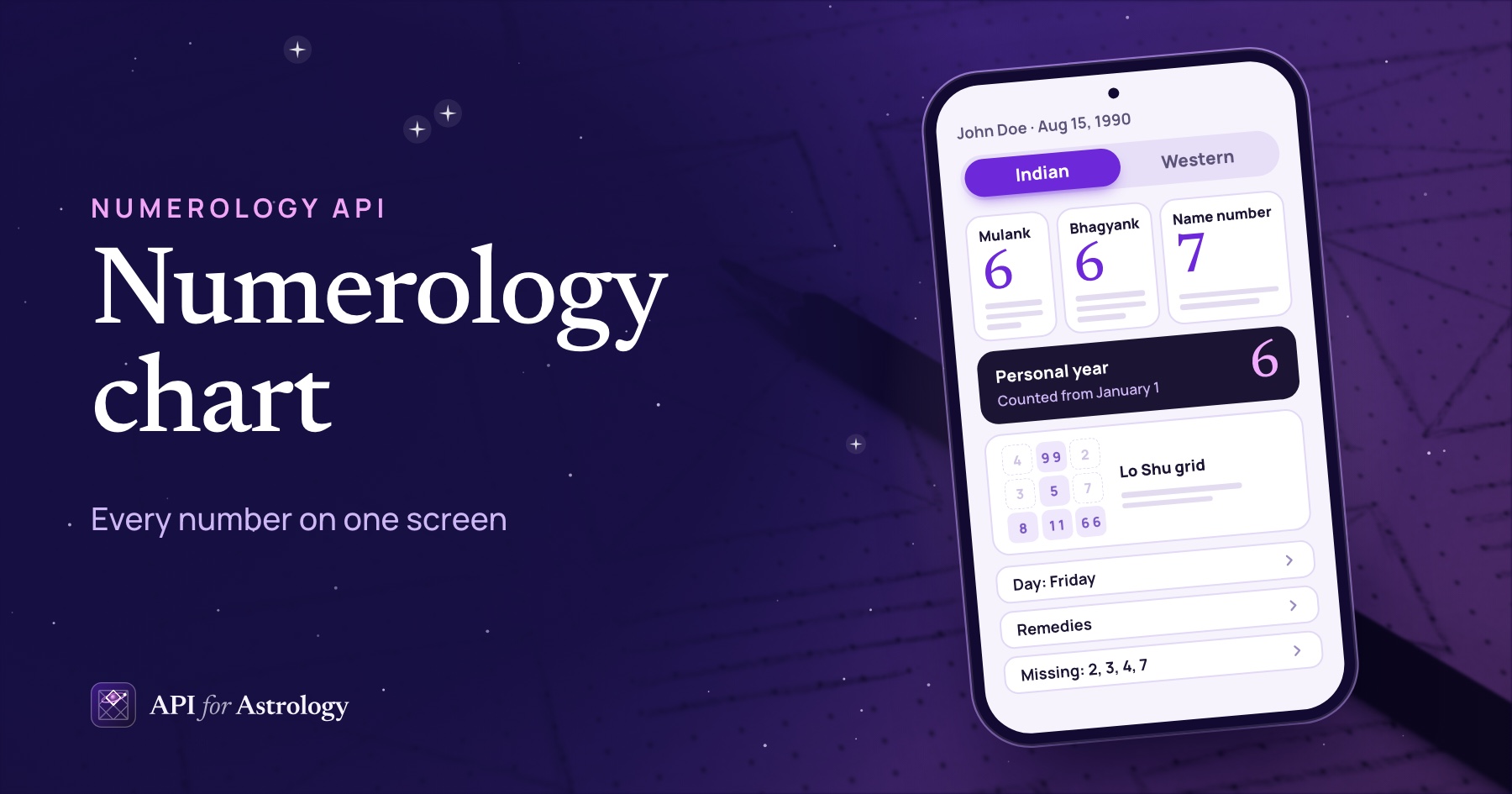

A Lo Shu grid, also spelled loshu grid, needs only a birth date. It uses no birth time, no place and no name.
The grid is a 3 x 3 square that holds the numbers 1 to 9 in a fixed order. Read from the top, its rows are 4 9 2, 3 5 7 and 8 1 6. Add up any row, column or diagonal, and you get 15. Each cell counts how many times its number turns up.
Our API fills it in four steps. Write the date as DD MM YYYY and drop every zero, because zero has no cell. Add the bhagyank (destiny number), which is every digit of the date added down to one digit. Add the mulank (birth day number), but only for a two-digit day. Then count the digits that land in each cell.
John Doe was born on Aug 15, 1990. The date puts 1, 5, 8, 1, 9 and 9 in the grid. His bhagyank is 6, and so is his mulank. So his grid holds two 1s, two 6s, two 9s, one 5 and one 8. The cells for 2, 3, 4 and 7 stay empty.
Every number below comes from our API, or from the code behind it, run in October 2026. We also measured how much each choice changes the grid, and what that means for your screen.
The square and its fixed order
In math, the Lo Shu grid is called a magic square, because every line adds up to the same total. It has 8 lines: 3 rows, 3 columns and 2 diagonals. Each one adds up to 15, and the 5 sits in the middle.
Our script tried every way to place 1 to 9 in a 3 x 3 square. Exactly 8 of them add up to 15 on every line, and all 8 are this square turned or mirrored. So a grid with 2 9 4 on top is still a Lo Shu square, but your users will see a different picture.
The API returns loshu.cells as 3 rows, top row first: 4 9 2, then 3 5 7, then 8 1 6. Draw the cells in that order, and every screen will match.
Step by step: John Doe's grid
Here is every digit in John's grid and where it comes from. The API lists them in this order in loshu.placed.
Step | Digits | Where they come from |
|---|---|---|
1. Write the date as DD MM YYYY | 1 5 0 8 1 9 9 0 | Aug 15, 1990 |
2. Drop the zeros | 1 5 8 1 9 9 | The date |
3. Add the bhagyank | 6 | 1+5+0+8+1+9+9+0 = 33, then 3+3 = 6 |
4. Add the mulank | 6 | The day 15 has two digits: 1+5 = 6 |
That makes 8 digits in all. Each one goes into the cell with its number:
Row | Left | Middle | Right |
|---|---|---|---|
Top | 4: none | 9: two | 2: none |
Middle | 3: none | 5: one | 7: none |
Bottom | 8: one | 1: two | 6: two |

One detail needs care in code. John's bhagyank total is 33, a master number. Western numerology keeps the totals 11, 22 and 33 whole, without adding their digits. The API flags the total with "master": true, but the grid still gets a 6. Each cell holds one number from 1 to 9, so the grid always takes the single digit.
The order of day, month and year does not change the counts. Written the US way, 08/15/1990 has the same digits, so it gives the same grid. The full year does matter. If your form keeps only "90", the 1 and 9 of 1990 never reach the grid.
Why a one-digit day skips the mulank
The mulank is the day of birth added down to one digit. For the 15th, that is 6, a new number. For the 5th, it is just 5, and the date already put a 5 in the grid. Adding it again would count the same digit twice.
We moved John's birthday to Aug 5, 1990, and ran it through the API. Now the date puts 5, 8, 1, 9 and 9 in the grid. The bhagyank is 5, from a total of 32. The API stops there, so the 5 cell holds two 5s. Add the mulank as well, and it would hold three.
From 1900 to 2030, 29.6% of all dates fall on the 1st to the 9th of a month. A rule that always adds the mulank gives each of them an extra repeat.
Where guides differ, and what the API does
The guides we read agree on the square and on dropping zeros. They do not agree on which extra numbers go in. Some place only the digits of the date. Others add the birth day number and the destiny number for every date. One guide calls them the driver number and the conductor number.
We built all three grids for every date from 1900 to 2030, 47,847 dates in all:
Method | John Doe's grid | Across 47,847 dates |
|---|---|---|
Date digits only | 6 digits; 2, 3, 4, 6 and 7 empty | A different set of empty cells on 68.3% of dates |
Both numbers, every date | Same as the API's | An extra repeat on 29.6% of dates, the one-digit days |
The API: mulank for two-digit days only | 8 digits; 2, 3, 4 and 7 empty | The baseline for the rows above |
An app that places only the date's digits gives a different grid from ours on every date. On about 7 in 10 dates, even the empty cells differ.
Every answer states the API's rule in a loshu.basis line. It reads: "Non-zero digits of the birth date (DD MM YYYY), plus the bhagyank, plus the mulank when the day has two digits. Zero has no cell." Show that line under the grid. A user who learned another way can then see why the grid differs.
Zeros, master numbers and other edge cases
Dates with many zeros. Jan 1, 2000, gives only 1, 1 and 2. The bhagyank adds a 4, and the day has one digit, so no mulank goes in. That is 4 digits in all. Across our 47,847 dates, a grid holds 4 to 10 digits.
Master numbers. For Dec 20, 2022, the digits add up to 11, which the API flags as a master number. The grid gets a 2, the single digit.
Births near midnight. The API reads the date on the calendar and ignores the time of day. A birth at 12:10 AM on Aug 16 counts as the 16th.
The name. We sent the same date with two different names. The grid came back the same. The name changes the name number in the same answer, never the grid.
The code, tested against our API
Here is the build in JavaScript. It returns the same shape as loshu.cells. We ran it on all 47,847 dates from 1900 to 2030 against the code behind the API, and it matched every time. We also sent 274 of those dates to the API itself, and all 274 matched.
// The Lo Shu square, top row first. Any row, column or diagonal adds up to 15.
const SQUARE = [
  [4, 9, 2],
  [3, 5, 7],
  [8, 1, 6],
];

// Add up the digits of a number or a string of digits: "15081990" -> 33.
function addDigits(value) {
  let sum = 0;
  for (const digit of String(value)) sum += Number(digit);
  return sum;
}

// Keep adding digits until one digit is left: 33 -> 6.
function reduceToOneDigit(n) {
  while (n > 9) n = addDigits(n);
  return n;
}

// birthDate is "YYYY-MM-DD". Returns 3 rows of { number, count }, like loshu.cells.
export function buildLoShuGrid(birthDate) {
  const [year, month, day] = birthDate.split("-");
  const dateText = day + month + year; // "15081990"

  const placed = [];
  for (const digit of dateText) {
    if (digit !== "0") placed.push(Number(digit)); // zero has no cell
  }
  placed.push(reduceToOneDigit(addDigits(dateText))); // the bhagyank
  if (Number(day) >= 10) {
    placed.push(reduceToOneDigit(Number(day))); // the mulank, for a two-digit day only
  }

  const counts = { 1: 0, 2: 0, 3: 0, 4: 0, 5: 0, 6: 0, 7: 0, 8: 0, 9: 0 };
  for (const digit of placed) counts[digit] += 1;

  return SQUARE.map((row) => row.map((number) => ({ number, count: counts[number] })));
}
You do not need to run this in production. The API returns the grid in every profile answer. The code is here so you can see each rule and test your own screens.
Try the rules on a real date. Our free Lo Shu grid calculator runs the same POST /v1/profile call. Enter Aug 15, 1990, and then Aug 5, 1990, to see the mulank rule at work.

How to draw a Lo Shu grid in an app
The hard part of the screen is the count. One cell can hold up to 7 copies of a digit, and it still has to fit on a phone.
We found the highest count in each of our 47,847 grids. More than half, 54.5%, have a cell with 3 or more digits. And 15.4% have a cell with 4 or more. The most we found is 7, on 12 dates. One of them is Dec 20, 2022, whose 2 cell holds seven 2s.
So write the digit once per count up to 3, as "1 1" or "9 9 9". From 4 up, show the digit with its count, as "2 ×7". Keep empty cells in place with their number in a faint color, as our free tool does. Only 6 of our 47,847 dates fill all nine cells. Nearly every grid has gaps, so the square must keep its shape.
// What one cell shows. An empty cell keeps its number, drawn faint.
// A digit is written once per count up to 3; from 4 up, the digit and its count.
export function cellView(cell) {
  if (cell.count === 0) return { text: String(cell.number), faint: true };
  if (cell.count <= 3) return { text: Array(cell.count).fill(cell.number).join(" "), faint: false };
  return { text: `${cell.number} ×${cell.count}`, faint: false };
}
Three more choices help. Give each cell a label for screen readers, such as "9, 2 times" or "4, empty". Show loshu.placed under the grid, so users can see which digits came from the date and which came from the two numbers. And key your code on number, from and each line's id, not on the words. With ?lang=hi, John's numbers and counts stay the same, but names such as from_name come back in Hindi.
The same answer also lists the missing numbers, the repeated numbers and the lines of the grid that are full or empty. Each one comes with a short reading. A later post covers what they mean and how to show them.
Build the whole screen from one call. See everything the core numbers API returns. Every field and its type is in the API reference.

What the API returns
POST /v1/profile takes a name and a birth date. The full address is https://apiforastrology.com/api/numerology/v1/profile.
John Doe, born Aug 15, 1990
{
  "name": "John Doe",
  "birth_date": "1990-08-15"
}
Here is the grid part of the answer, with the readings, the summary, the notes and the display words left out:
{
  "loshu": {
    "cells": [
      [{ "number": 4, "count": 0 }, { "number": 9, "count": 2 }, { "number": 2, "count": 0 }],
      [{ "number": 3, "count": 0 }, { "number": 5, "count": 1 }, { "number": 7, "count": 0 }],
      [{ "number": 8, "count": 1 }, { "number": 1, "count": 2 }, { "number": 6, "count": 2 }]
    ],
    "placed": [
      { "number": 1, "from": "date" },
      { "number": 5, "from": "date" },
      { "number": 8, "from": "date" },
      { "number": 1, "from": "date" },
      { "number": 9, "from": "date" },
      { "number": 9, "from": "date" },
      { "number": 6, "from": "bhagyank" },
      { "number": 6, "from": "mulank" }
    ],
    "basis": "Non-zero digits of the birth date (DD MM YYYY), plus the bhagyank, plus the mulank when the day has two digits. Zero has no cell."
  }
}
The same call gives you the mulank, the bhagyank and the name number. Each answer also carries a not_claimed line. It tells users that numbers describe leanings, not fixed events.
The Lo Shu math fits in one short function. What makes two apps disagree is the rule for which digits go in. Pick one rule, show it beside the grid, and draw the counts so the crowded grids still read well on a phone.